The best AI study tool is the one that works from your actual course material. If you can gather the files yourself, Gemini Notebook (formerly NotebookLM) is hard to beat for free. For flashcards, Knowt and Anki lead on price. Breezy is the pick when you want the whole course in one place, synced from your school's course site, with answers that point to the file they came from. We make Breezy, so weigh its entry with that in mind.
What matters in an AI study tool
A general chatbot can explain photosynthesis. What it cannot do is know what your instructor said about it on Tuesday. These are the things that separate a study tool from a chat window:
- It works from your course. What you are graded on is the assigned chapter, the slides and the rubric. A tool that has never seen them is guessing.
- It shows its sources. An answer you cannot trace back to a page is an answer you have to check from scratch.
- It makes you recall, not reread. Active recall and spaced repetition beat rereading notes. Look for flashcards, practice tests and quizzes built from your material.
- The free plan is usable. Most students try a tool for a week before paying for anything.
- It fits your school's rules. Studying with AI is one thing, handing in AI-written work is another. Every tool here leaves that line to your school's policy.
The AI study tools worth considering
Gemini Notebook (formerly NotebookLM)
notebook.googleGoogle's research notebook. You upload your own class materials and it answers questions grounded in them. It can turn a notebook into an Audio Overview you listen to, and into flashcards and quizzes for the night before an exam. Google renamed NotebookLM to Gemini Notebook in July 2026, and existing notebooks carried over.
- Best for
- Reading-heavy courses where you can collect the files yourself.
- Trade-offs
- You gather and upload every source by hand, and it knows nothing about your deadlines or assignments. The free plan holds up to 50 sources per notebook.
- Price
- Free. Google AI Plus, Pro and Ultra raise the limits, to 100, 300 and 600 sources per notebook.
- Platforms
- Web, and mobile apps
ChatGPT study mode
chatgpt.comA mode in ChatGPT that teaches rather than answers. Instead of handing over a final answer, it asks questions, explains step by step, checks your understanding as you go, and can quiz you or run flashcard-style review. Turn it on by choosing Study from the + menu, or go straight to chatgpt.com/studymode.
- Best for
- Working through a concept you are stuck on, one question at a time.
- Trade-offs
- It only knows what you paste or upload into the chat, and OpenAI notes it can still give a direct answer. It runs on your plan’s normal message limits.
- Price
- Included in every ChatGPT plan, Free too.
- Platforms
- Web, iOS and Android
Quizlet
quizlet.comThe flashcard site most students already have an account on. Learn mode drills a set until you know it, and Test generates a practice test from a set.
- Best for
- Memorizing terms from sets you or your classmates already made.
- Trade-offs
- The free plan limits Learn and practice tests and shows ads. Quizlet Plus still caps Learn at 20 rounds and practice tests at 3 a month; Plus Unlimited lifts both caps.
- Price
- Free with limits. Plus is $35.99 a year and Plus Unlimited $44.99 a year (US, yearly).
- Platforms
- Web, iOS and Android
Knowt
knowt.comPitched as a free Quizlet alternative: flashcards with unlimited Learn mode and spaced repetition on the free plan. Its paid Ultra plan adds AI summaries of PDFs, slides, videos and lecture recordings, an AI voice tutor, and AP, SAT and ACT prep.
- Best for
- Flashcards and Learn mode without a paywall.
- Trade-offs
- The AI that turns your files and lectures into notes is on Ultra, not the free plan, and the free plan shows ads.
- Price
- Free. Ultra is $149.99 a year or $24.99 a month.
- Platforms
- Web, iOS, Android and a Chrome extension
StudyFetch
studyfetch.comUpload PDFs, slides, lecture recordings, photos of your notes or YouTube links, and StudyFetch turns them into notes, flashcards, quizzes and practice tests, with an AI tutor called Sparky. You can record a lecture in the app as it happens.
- Best for
- Turning a lecture recording into something to study.
- Trade-offs
- Everything starts from what you upload, and its website does not list what the paid plans cost.
- Price
- Free to start. Paid plan prices are not listed on its site.
- Platforms
- Web and iOS
Anki
apps.ankiweb.netThe long-standing flashcard program built on spaced repetition. You rate how well you recalled each card, and Anki schedules the next review for when you are most likely to forget it. There is no AI in it: you write or import the cards.
- Best for
- Long-term memorization you keep up every day.
- Trade-offs
- No AI and more setup than anything else here: you make or import every card, and the scheduling rewards a daily habit.
- Price
- Free on computers, Android and AnkiWeb. The iPhone and iPad app, AnkiMobile, is $24.99.
- Platforms
- Windows, Mac, Linux, Android, iOS and the web
Breezy
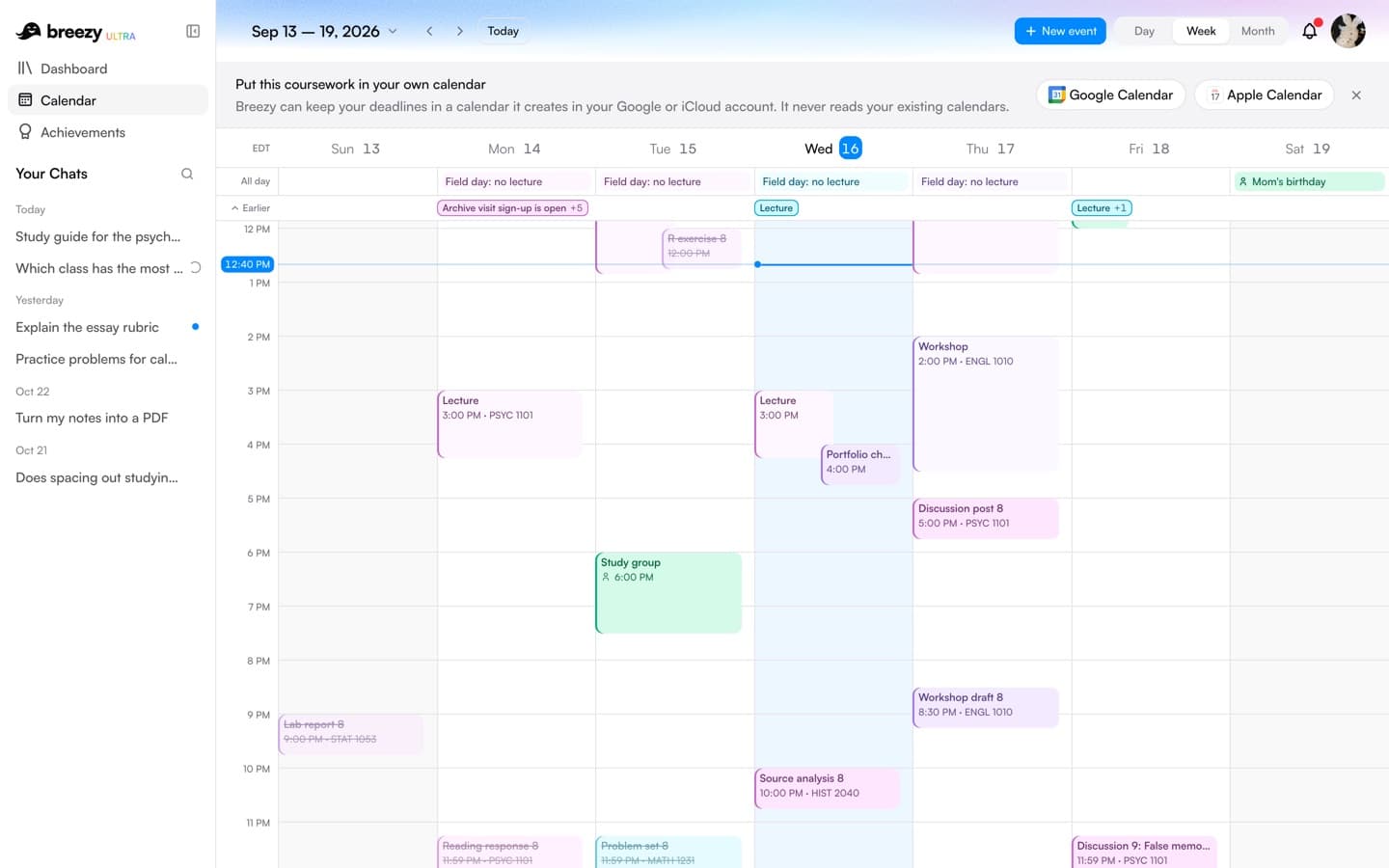
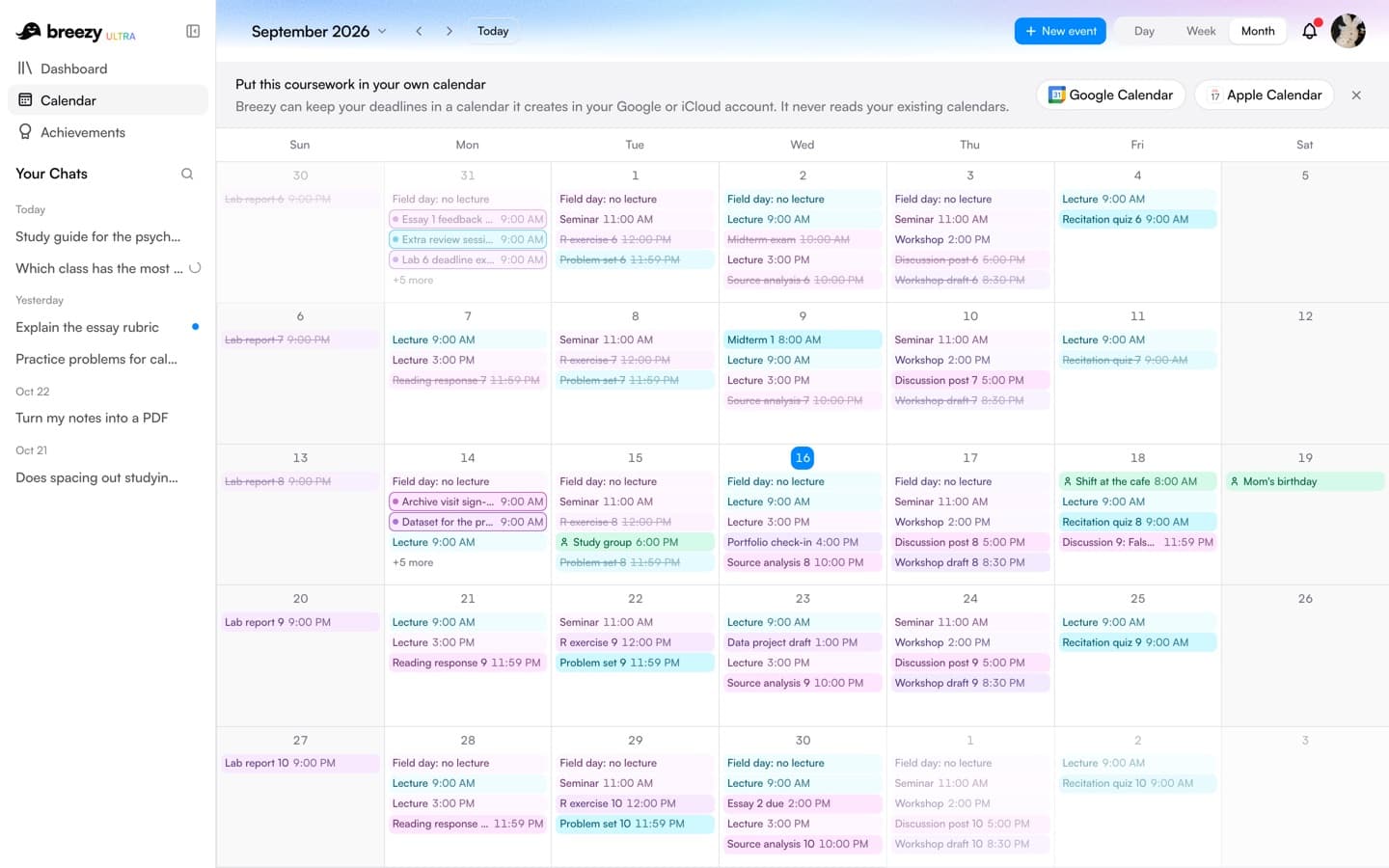
Breezy is ours. Its browser extension syncs your classes from Canvas, Blackboard, Brightspace, Schoology or PowerSchool, plus Piazza boards and Leganto reading lists, using the sign-in your browser already has. So the readings, assignments, files and deadlines are already there when you sit down to study, and nothing needs uploading.
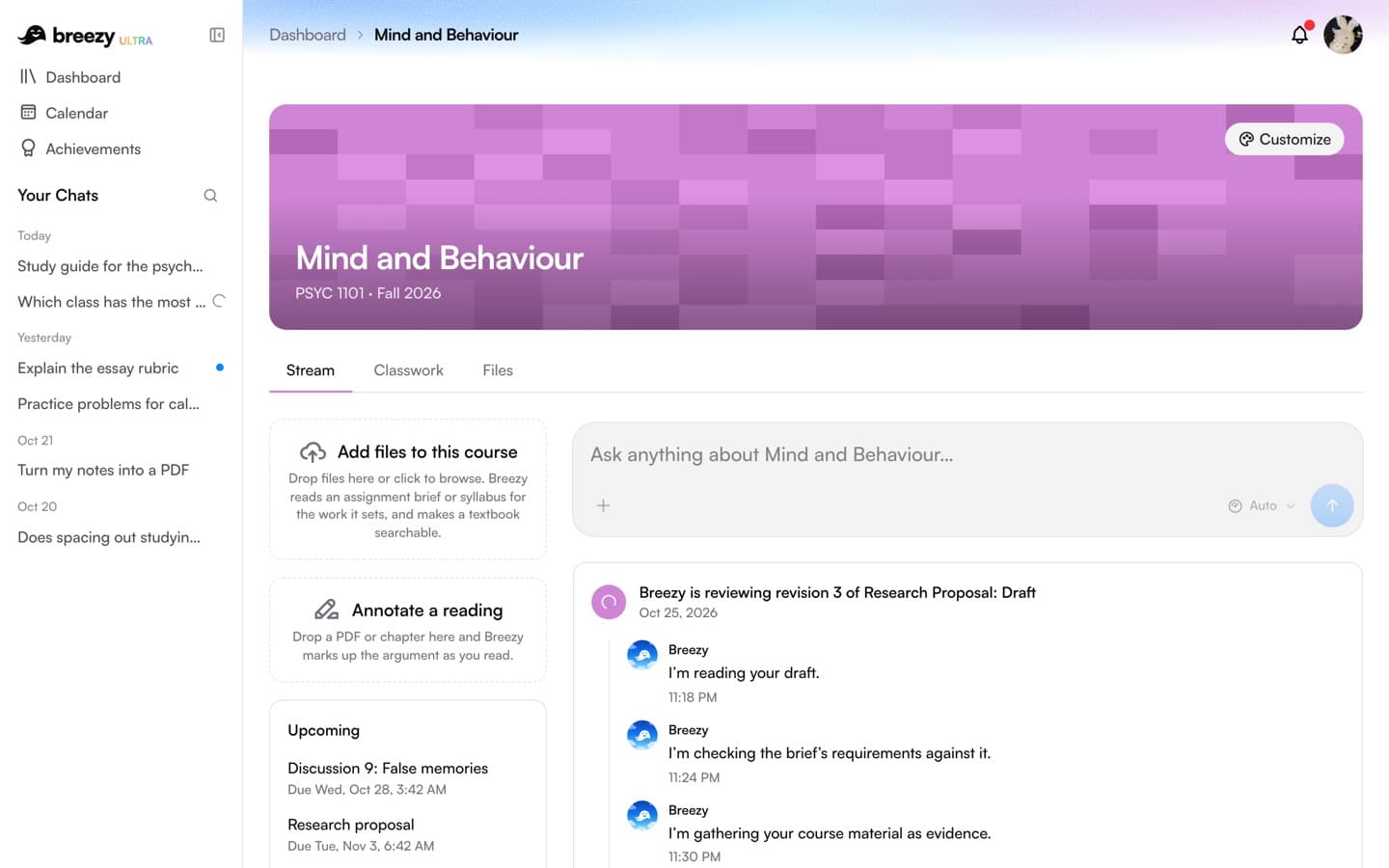
Ask about a course and the answer names the assignment or file it relied on, with the exact sentence it leaned on. Readings arrive marked up for what you are reading them for, assignment briefs are decoded, and drafts are reviewed against the brief your instructor wrote. Every course page has Flashcards, Study guide and Practice questions, built from that course's material.
- Best for
- Studying from everything your course site holds, without uploading it.
- Trade-offs
- The first sync needs a laptop or desktop, because phones cannot install browser extensions, and it only reads the course sites listed above. Like every tool here, its AI can be wrong.
- Price
- Free, with every feature. Pro is $10 a month and Ultra $20 a month, for more monthly usage.
- Platforms
- Chrome, Firefox, Edge, Opera, Brave, Arc or Vivaldi to connect, then any device
Comparison at a glance
| Tool | Free plan | Paid plans | Works from | Recall practice | Platforms |
|---|---|---|---|---|---|
| Gemini Notebook | Yes, 50 sources a notebook | Google AI Plus, Pro, Ultra | Files you upload | Flashcards, quizzes | Web, mobile |
| ChatGPT study mode | Yes | Paid ChatGPT plans | What you paste or upload | Quizzes in the chat | Web, iOS, Android |
| Quizlet | Limited Learn and Test | $35.99 or $44.99 a year | Flashcard sets | Learn, Test | Web, iOS, Android |
| Knowt | Yes, unlimited Learn | $149.99 a year or $24.99 a month | Sets; files and lectures on Ultra | Learn, practice tests, spaced repetition | Web, iOS, Android |
| StudyFetch | Yes, to start | Not listed | Files and lectures you upload | Flashcards, quizzes, practice tests | Web, iOS |
| Anki | Yes (iOS app $24.99) | None | Cards you make or import | Spaced repetition | Desktop, mobile, web |
| Breezy | Yes, every feature | $10 or $20 a month | Your synced course site | Flashcards, practice questions, study guides | Desktop browser, then any device |
Which one should you use?
- You have a stack of PDFs for one course. Put them in Gemini Notebook and ask away.
- You are stuck on one idea. Open ChatGPT study mode and let it question you through it.
- You need terms memorized by Friday. Quizlet if the set already exists, Knowt if you want Learn mode free.
- You are studying for something months away. Anki, every day.
- You have a lecture recording and nothing else. StudyFetch.
- You want every class, file and deadline in one place, studied from directly. That is the case Breezy is built for.
Many students use two: a flashcard app for memorizing, and one tool that knows the course.
Getting started with Breezy
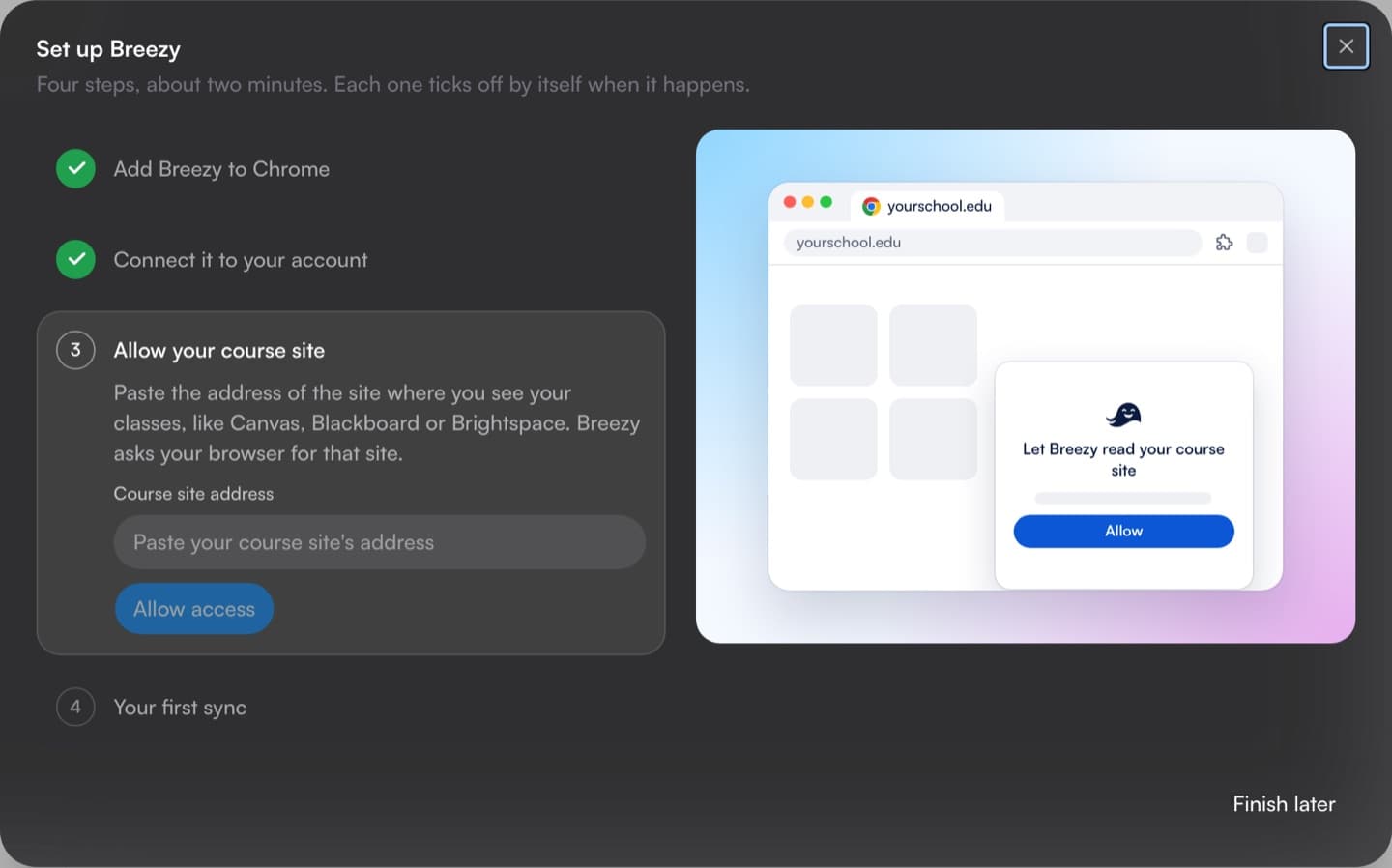
- Add the Breezy extension to Chrome, Firefox, Edge or another desktop browser.
- Sign in, and open your course site in the same browser.
- Press Sync now. Your courses, files and deadlines arrive in one workspace, and Auto Sync keeps them current whenever you open your course site, at most once an hour.
Breezy never asks for your course site password. The integrations page lists what it reads from each site, and pricing compares the plans.
Frequently asked questions
Is NotebookLM still free now that it is called Gemini Notebook?
Yes. Google renamed NotebookLM to Gemini Notebook in July 2026, and its Standard plan is still free, with up to 50 sources per notebook. Google AI Plus, Pro and Ultra raise the limits.
What is the best free AI study tool?
It depends on what you study from. Gemini Notebook is free for working from your own files, ChatGPT study mode is on every ChatGPT plan, Knowt's free plan includes unlimited Learn mode, Anki is free on computers and Android, and Breezy's Free plan includes every feature.
Which AI study tool works with Canvas?
Breezy syncs from Canvas through its browser extension, and from Blackboard, Brightspace, Schoology and PowerSchool too. The other tools on this list work from what you upload or paste into them.
Is it cheating to study with AI?
Studying with AI is usually allowed; handing in AI-written work often is not. Follow your school's and your instructor's AI policy. Breezy's draft review comments on your writing and never writes the sentence for you.